 Save Page as PDF
Save a web page as one PDF, without page breaks.
One click turns the tab you're looking at into a single, full-length PDF with real, selectable text, even logged-in dashboards, localhost and panels that scroll inside the page. Your browser prints it. Nothing is uploaded.
Or write to ceo@maw2in.com. One message when it can be installed, nothing else.
- Selectable text, not a screenshot
- Works on logged-in pages
- Nothing is uploaded
- One-time Pro from USD 9
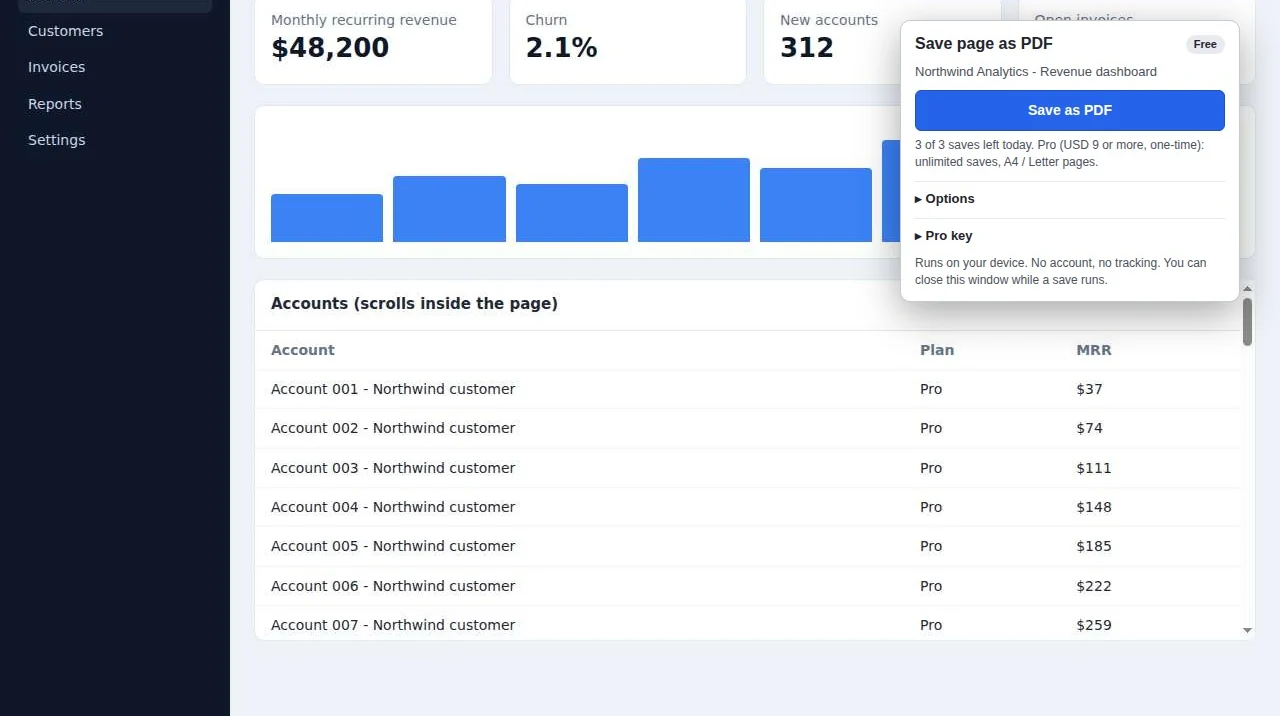
Print to PDF cuts your page into pieces.
Dashboards, long reports and admin panels were never designed for paper.
The browser's print splits a long page into paper-size sheets and cuts tables and charts wherever a sheet ends.
Tables and logs that scroll inside the page are printed as the few rows you can see.
Online converters can't reach pages behind your login, and you shouldn't send them private data anyway.
Save a full-page PDF in three steps
Any web page you have open: logged in, localhost or staging. Local files need one setting switched on.
Boxes that scroll on their own are opened up and images further down are loaded, then the page is put back as it was.
A single full-length page with real text you can search, select and copy.
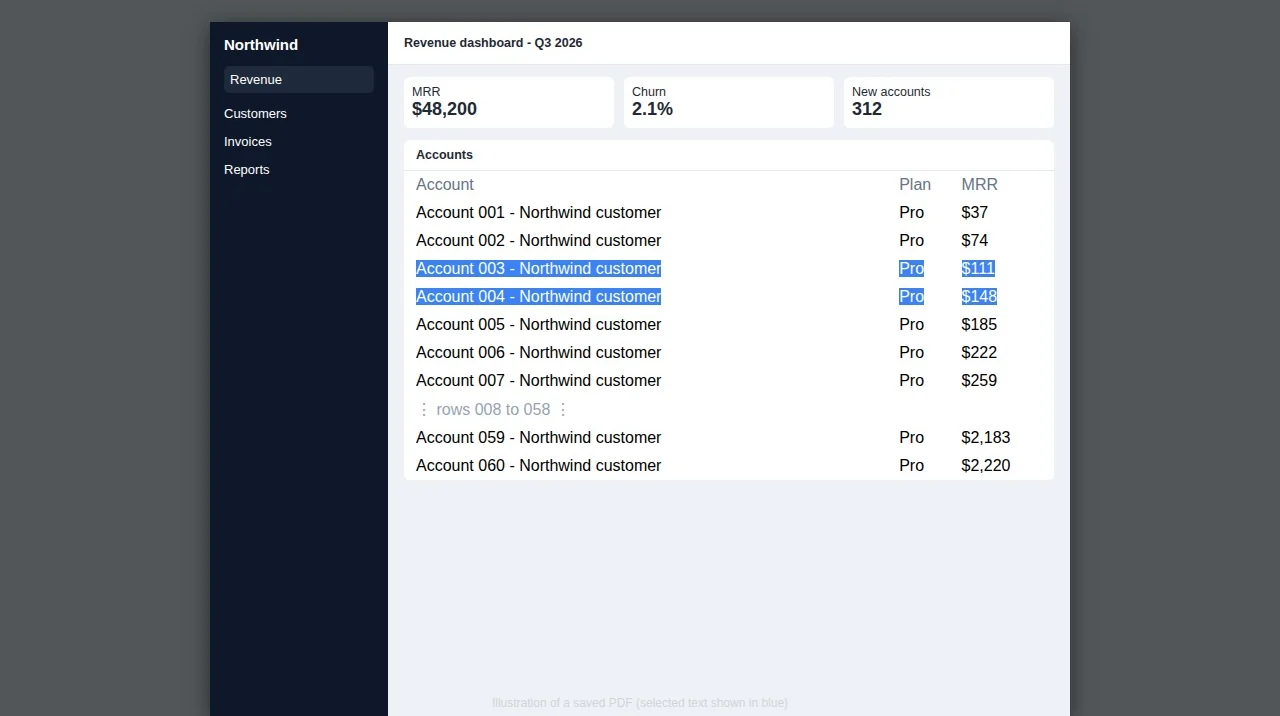
A full-page PDF with real text, not a screenshot
The whole page in a single PDF page, not cut off at the bottom of the screen.
Words can be searched, selected and copied. It's not a screenshot.
It prints the page you already have open: no sign-in wall, no second request, no upload.
Tables, logs and side panels that scroll inside the page are expanded before printing.
The page is scrolled until it stops growing (up to 11 seconds) and images get time to load.
A4 or US Letter pages with the site's sticky header shown once, not on every page; margins and file-name templates.
Save Page as PDF pricing: free, or one-time Pro
The popup shows how many free saves are left before you save.
Free
No account. No trial clock.
- 3 PDF saves a day
- One full-length page
- Scroll-panel expansion included
- Selectable, searchable text
Pro One-time
One-time, pay what you want from USD 9. No subscription. 30-day refund.
- Unlimited saves
- A4 or US Letter pages
- Fixed headers shown once, not on every page
- Margins and file-name templates
Pro is a licence key sold on Gumroad by MAW2IN. You paste the key into the extension to unlock Pro.
Your pages are printed on your computer.
Save Page as PDF uses your browser's own print engine on the tab you clicked. Page content is never sent anywhere.
- Nothing is uploadedThe PDF is made by your browser and saved to your Downloads folder.
- Only the tab you clickThe browser's print interface is used on that tab, only while a save runs.
- One-time priceThree free saves every day. Pro is a one-time key, not a subscription.
Exactly what happens with your data
- Why the install warnings
- To make a PDF with real text, it calls the browser's own print-to-PDF through the debugger interface, on the clicked tab only, then detaches.
- What leaves your device
- Nothing from the page. The only network call is the Pro licence check with Gumroad (
api.gumroad.com). - Honest limits
- Lists that only draw the rows on screen, and pages embedded in the page (iframes), can't be expanded. Pages over 200 inches are split into 200-inch pages.
Save Page as PDF FAQ
Is the text in the PDF selectable?
Yes. The page is printed by the browser itself, so text can be selected, searched and copied. It isn't an image.
Does it work on pages behind a login?
Yes. It prints the page you already have open, so dashboards, intranets, localhost and staging sites work.
Why does the browser show warnings when I install it?
To print with real text it uses the browser's debugger interface, only on the tab you click and only during a save. The browser attaches its broad warning to that permission. The extension doesn't read other sites and sends no page content anywhere. While a PDF is made, the browser shows a "started debugging" bar for a few seconds.
What can't it expand?
Lists that only draw the rows on screen (virtualised lists) and content inside iframes. Browser pages like the store or settings can't be saved.
Is Pro a subscription?
No. Pro is a one-time key from USD 9 (pay what you want), sold on Gumroad by MAW2IN, with a 30-day refund.
A one-person studio, MAW2IN.
Each extension does one job, keeps your data on your device and is sold for a one-time price. Every e-mail is read and answered: ceo@maw2in.com.



Keep the whole page, not just the screenful.
It's in store review now. Send us a note and we'll e-mail you once when you can install it.